My Notes
Every note and case in one table, with folders and tags. Saved views are Pro.
 voXel
Serious version
10 Nov
voXel
Serious version
10 Nov
voXel opens CT, MR, X-ray, ultrasound and more on iPad, then turns them into lessons, flashcards and 3D prints. Free to view.
24 slices of one real CT, coloured like a pop-art print. voXel keeps them grey: ten CT presets, or your own centre and width.

Reads CT, MR, X-ray, mammography, ultrasound and angiography; uncompressed, JPEG, JPEG-LS and RLE; colour, palette and multi-frame. Exports PNG, JPEG, GIF, MP4, STL, OBJ, 3MF, USDZ, DICOM, PDF and Anki flashcards.
Three reels: the plane, the window and the spot. Hold the ones you like and spin the rest. Each result is the real CT, windowed with the same sums the app runs. In voXel you can cut any plane, oblique too. It follows the file's geometry, a tilted gantry included, so a coronal cut keeps the patient's proportions.
Every CT pixel is a number in Hounsfield units. The window picks which numbers get the greys.
Viewing is the start. The rest is for the person at the front of the room, and the people taking notes.
Every note and case in one table, with folders and tags. Saved views are Pro.
Tap the mic in a note and record the class. Ask the lecturer first. It stays on the iPad.
A recording turned into text on the iPad, on iPadOS 26. It knows radiology words.
Cases in your order, copied from the slices you pick, with the patient details written over.
Save views with their slice, window and a line of text. The arrows walk the class through.
History to teaching points, under seven headings. A note outlives its study.
A note on a finding, linked to a web page or another case. 5 free, unlimited with Pro.
A lined page beside the image, typed or in Apple Pencil, linked to the slice. 3 free, unlimited with Pro.
A slice and its marks, with no patient details. Export a PDF or an Anki deck. 10 free.
On angiography, each label or arrow stays on its own few frames.
One tap before you put the screen on the projector.
Distance, angle, Cobb angle, area and HU.
Tap a planet. Solid ones are in voXel when it comes out on 10 November. A dashed one filled in is built and in testing; empty dashed ones are planned, not promised.

No prices on this page. The free part stays free for as long as you like.
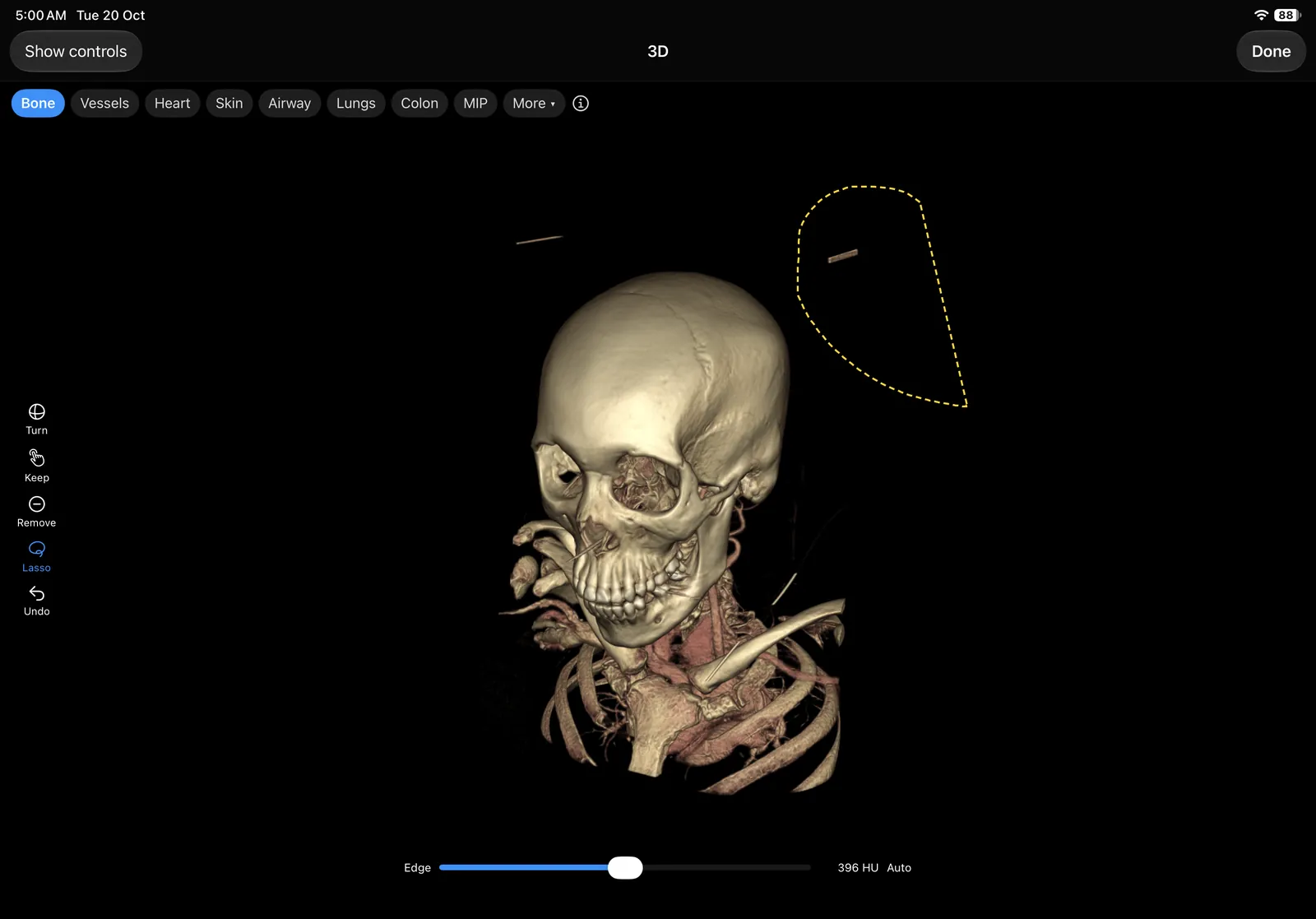
The real thing, on iPad: the 3D screen, lasso out, cutting a stray piece away.
The same CT in 3D, rendered live in your browser. Drag to turn it. Smash a button.
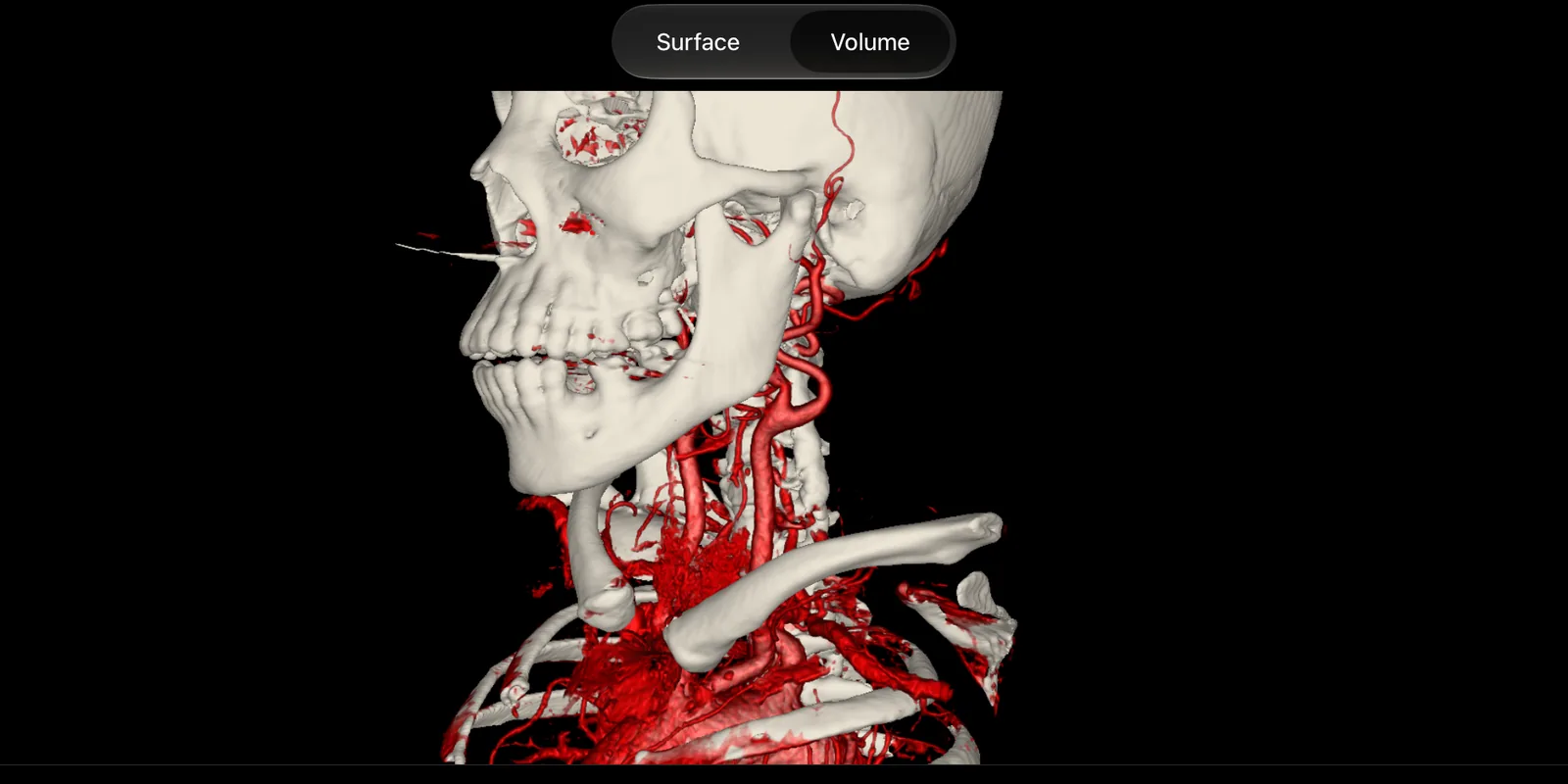
A simplified render in your browser. In the app, the presets also find vessels and take the bone out.
Free to view.No login.No portal.
iPadOS 18 or later. No account, no analytics, no cloud. Your studies stay on your iPad.
voXel arrives on the App Store on 10 November. Free to view, iPadOS 18 or later.
The sample is a phantom. For a real scan, take one from The Cancer Imaging Archive: a brain MRI before tumour surgery (151 slices, 6.7 MB, face removed) or a contrast CT from neck to pelvis (270 slices, 66 MB). Save it to Files, then tap + in voXel.